A lifesaver for PhD students: Using Notion to organize journal articles & readings
If you're in a doctoral program, you already know the feeling: dozens of articles saved in a folder, highlights scattered across PDFs, and a vague memory of reading exactly the right quote about followership somewhere. You just can't remember where.
I solved this with one Notion database and six columns. It's simple enough to maintain through the busiest semester, and it makes finding what I need take seconds. I can write a paper by just relying on my database because of the notes I have stored there. Here's how it works, and a template you can copy.
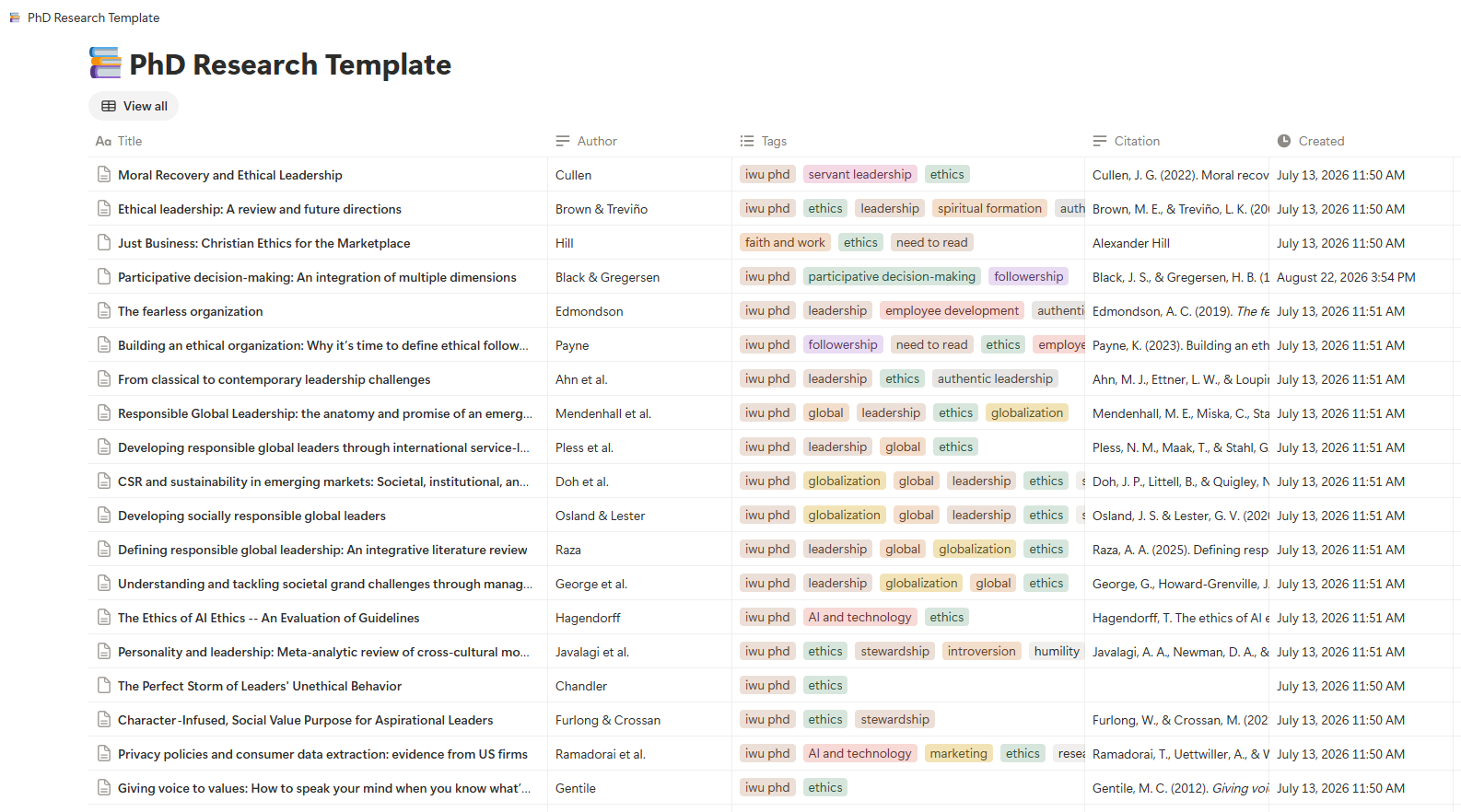
screen shot of a few rows of my PhD readings database in Notion
Database Columns
I’ve provided a template for you below so you don’t have to build the database yourself. You can just copy mine. But here is a list of the columns:
1. Title
The article title. This is the name of the entry and what you'll see when scanning your library.
2. Tags
Keywords for categorization. This is the most important column in the database, and I'll explain why below.
3. Author
Lead author or authors, so I can search by name when I remember who wrote something but not what it was called.
4. Citation
The full reference in APA format. I paste it in when I add the article, so when I'm drafting I can copy it straight into my reference list instead of rebuilding it from scratch.
5. Date Created
Notion fills this in automatically. It's a quiet bonus: I can sort by when I added something and see how my thinking progressed over the program.
6. Notes
Where the real value lives. Inside each entry's Notes, I keep three things:
Summary or abstract: a short summary in my own words (or the abstract, clearly marked as such) - sometimes this is all I have time for, and then I go back and read the article later if I really need it
Key points: the main findings, arguments, and methods
Key quotes, with page numbers: the lines I might want to use, with the page number attached
That last item is a lifesaver. Hunting through a 30-page PDF for a quote you vaguely remember is one of the most frustrating time sinks in a dissertation. Capturing the page number the first time takes five seconds and since the page # is required in my program, it helps me write papers faster.
Tagging the articles with keywords is essential
An article rarely belongs to just one topic. A paper on authentic leadership might also speak to trust, and it might also inform how you think about participative decision-making. A folder forces you to pick one home. Tags let a single article live in as many places as it needs.
I use multi-select tags for keywords like:
Followership
Participative decision-making
Trust
Authentic leadership
When I need sources on a topic, I search or filter the Tags field and every relevant article appears, regardless of when I read it or where I found it. That is what makes writing a literature review so much less painful. Instead of re-reading everything, I filter by the construct I'm writing about and the relevant notes, quotes, and citations are right there.
A few tips for good tagging:
Keep your vocabulary small and consistent. Decide on "participative decision-making" and stick with it. If you tag some articles "participative decision-making" and others "employee participation," your search will miss half of what you need.
Tag with your research in mind. Tag according to the questions your dissertation is asking, not just the article's own keywords. A tag should help future you find the source.
Be generous but not reckless. Two to five tags per article usually works. If everything has ten tags, the filter stops being useful.
Review your tag list periodically. Merge duplicates and retire tags you never use.
Add a row whenever you read or skim an article
Add the row. Title, author, and tags as soon as I find the article.
Paste the APA citation. I pull it from my reference manager or the article's database page.
Write the notes. Summary first, then key points, then quotes with page numbers.
Tag it for every topic it touches. This is the step I never skip, because it's what makes the article findable later.
Doing all of this while the article is fresh takes maybe ten minutes. Doing it six months later, when you can't remember the argument, takes an hour.
Tips
Write the summary in your own words. Pasting an abstract is fine as a placeholder, but your own summary forces you to understand the article, and it's far more useful when you start writing.
Mark direct quotes clearly. When you paste text from an article, use quotation marks and the page number so you never accidentally present someone else's words as your own paraphrase.
Double-check your citations. Pasted or auto-generated APA references frequently have small errors (capitalization, missing DOIs, wrong volume or issue numbers). Verify them against the source before they go into your final reference list.
Know what Notion won't do. It's a wonderful organizer, but it won't format in-text citations or build a bibliography automatically the way Zotero or EndNote will. Some students use both: a reference manager for citations and Notion for notes and thinking.
Keep it up. The biggest risk to any system isn't a flaw in its design, it's falling behind. Add articles as you read them, even if the notes are brief. A short entry now beats a perfect entry you never get to.
Get the Template
I've shared my database so you can duplicate it into your own workspace:
👉 Duplicate my Notion template here
Open the link, click Duplicate in the top right, and pick your workspace. Then swap my tags for your own topics and start adding articles.
You don't need a complicated system to manage a dissertation's worth of reading. You need a consistent one: a place where every article has a title, a citation, searchable tags, and notes you can trust. Mine has six columns, and it has saved me more hours than I can count.
If you try it, I'd love to hear how you adapt it for your field.
This article was written with the help of Claude 2.0
